Overview
The existing My Subscription page provided only a title and a brief description, leaving users uncertain about their subscription status, benefits, renewal details, and available actions. This lack of clarity impacted user trust and overall product usability.
The Challenge
1. Users could not easily understand what features they were entitled to, what protections were active, or when their subscription would expire.
2. Important actions like managing devices, updating payment information, or renewing subscriptions were not visible or intuitive.
3. The page lacked a clear hierarchical structure, making it difficult for users to quickly find what they needed.
My Role
I led the redesign of the My Subscription experience—conducting user testing, gathering cross-functional input, and iterating based on feedback from round-table discussions and critique pod sessions. I created a revised design that gives users clarity, confidence, and control over their subscription.
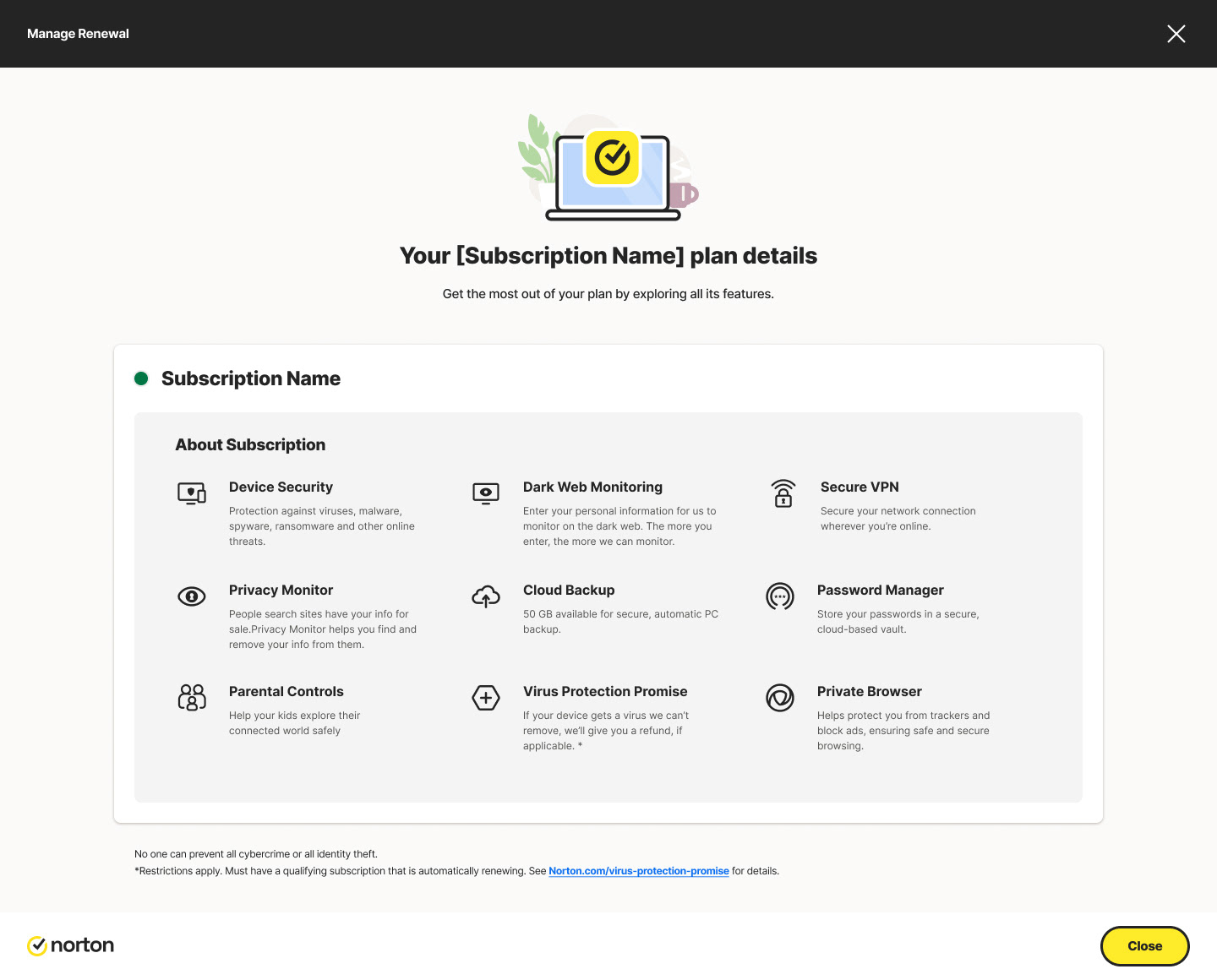
Existing Design

Design Process
1. User Research & Pain Points
Through moderated user-testing sessions, I identified key issues:
- “I’m not sure what I’m paying for.”
- “Do I have protection right now?”
- “Where do I manage my devices?”
Insights showed that users needed:
A clear subscription overview
A visual status indicator
A list of benefits/features included
Direct access to high-frequency actions
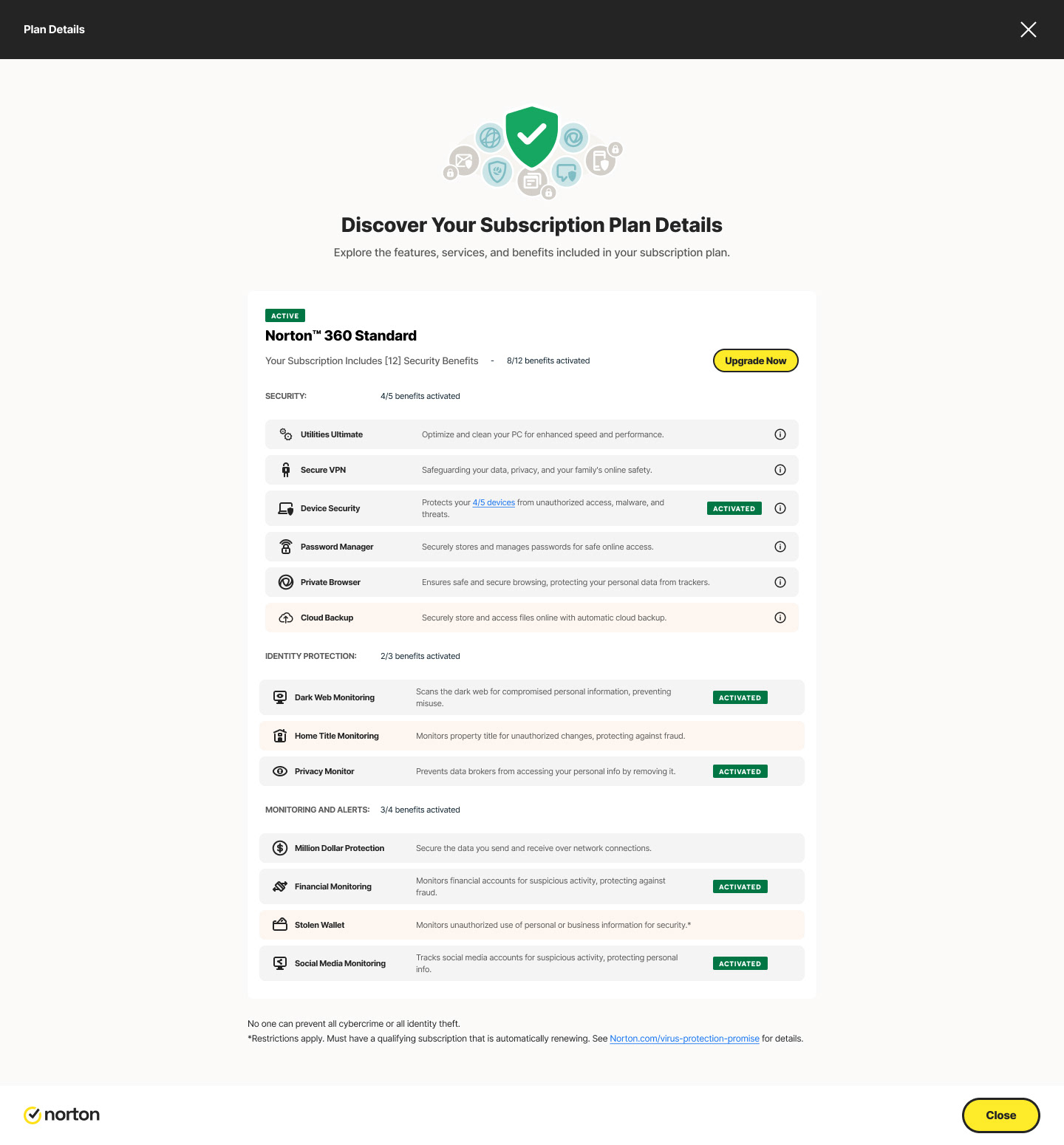
I revisited the My Subscriptions page to expand it beyond the original short description and basic activation status. The redesigned version now clearly communicates what the subscription includes, shows whether it is activated or not, and displays the total number of products, features, and services available within the plan. It also highlights how many of those features are currently activated. In addition, I introduced an upsell section with a prominent “Upgrade Now” option to encourage users to explore higher-tier plans.

2. Collaborative Iteration
I worked closely with product managers, engineers, and the critique pod team to refine the design direction.

Round-table discussions helped prioritize:
- Surfacing subscription health
- Improving information hierarchy
- Reducing cognitive load
- Presenting benefits in a digestible format
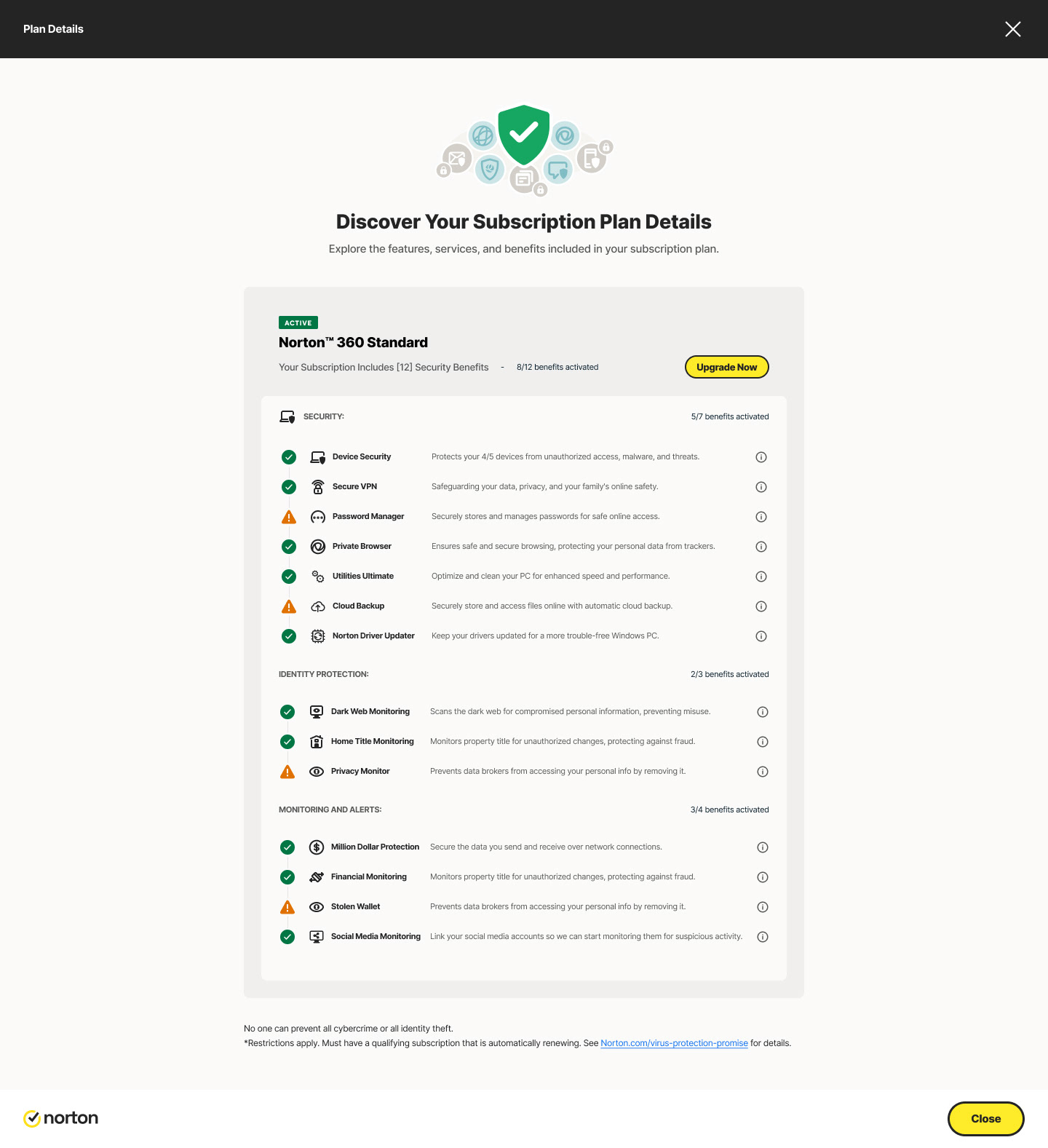
In this version of the My Subscriptions  page, I streamlined the layout by reducing excess space and organizing the plan features into clear, nested categories. Instead of repeating activation statuses, I introduced visual indicators to make the page cleaner and more intuitive. I also surfaced the total number of benefits and highlighted how many were currently activated, giving users a quick understanding of their subscription value. Additionally, I added an upsell section with an “Upgrade Now” option to drive conversion opportunities. Overall, this iteration enhances clarity, usability, and feature discoverability.
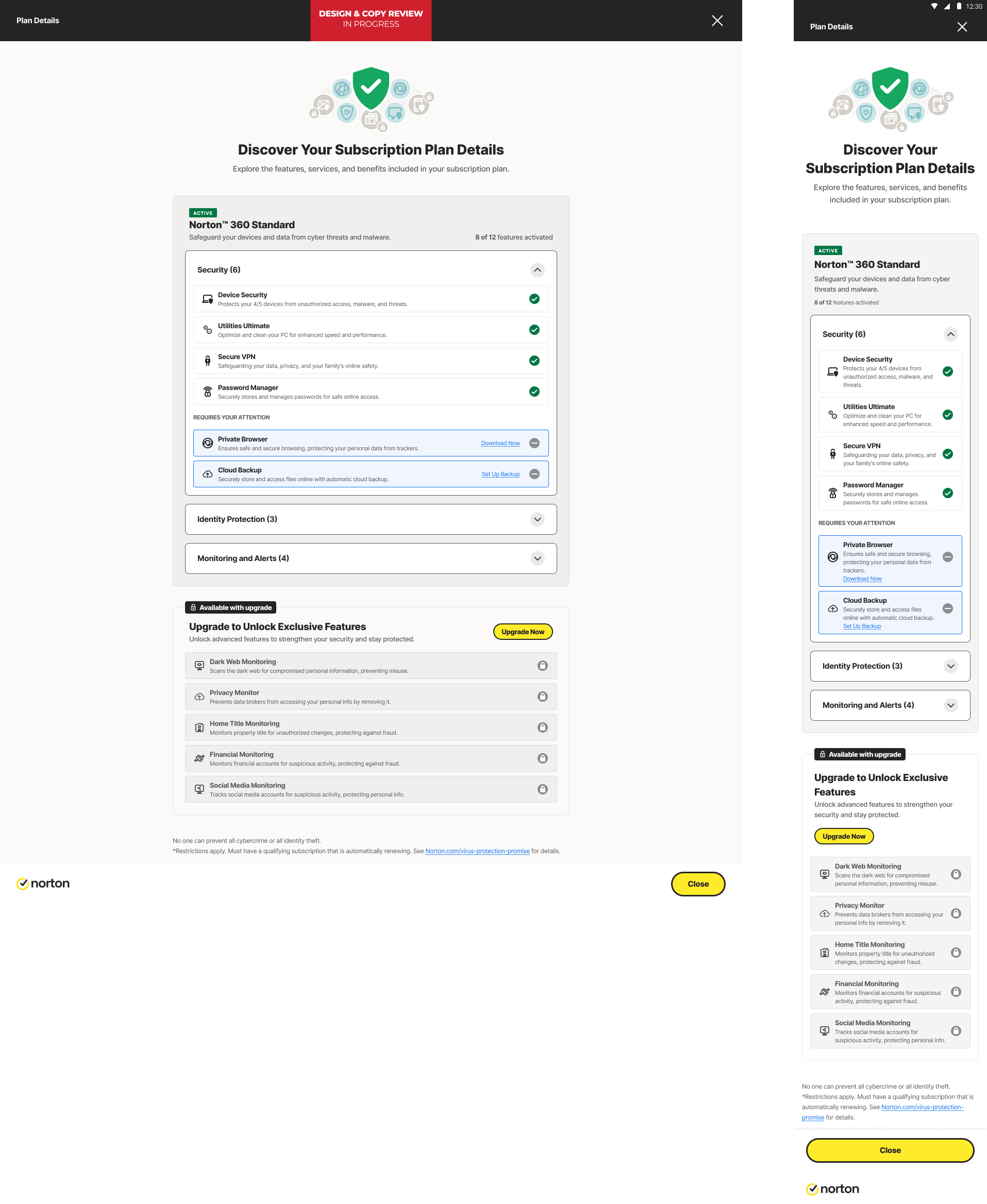
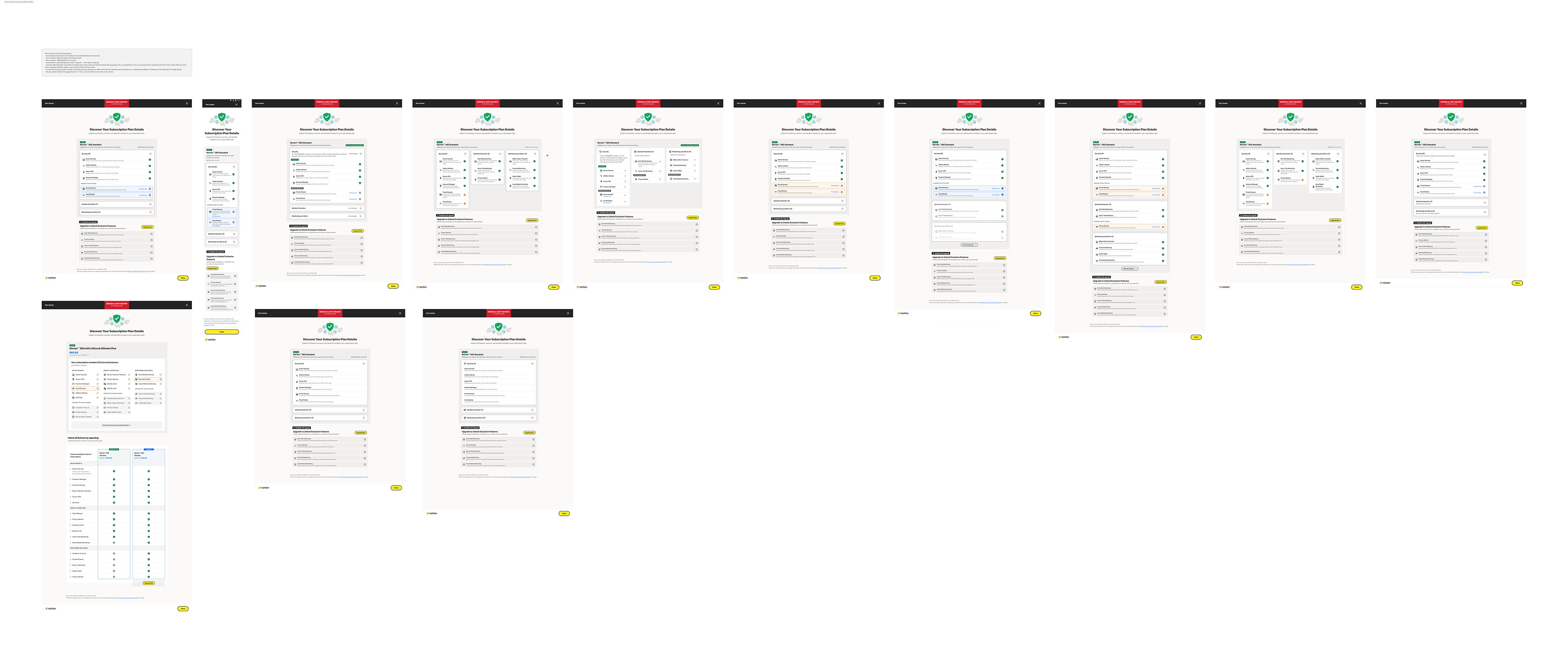
After reaching the above design, I conducted a series of stakeholder reviews, discovery sessions, critique pod discussions, and round-table conversations with PMs and developers to gather broader feedback. Several key insights emerged: we should avoid duplicating feature states already shown in AntiScam or the dashboard and reevaluate whether feature status needs to appear here at all. If “not activated” is shown, it must be clearly distinguished from “not paid,” and the activation indicators should ideally be unified with those used in AntiScam.
 Stakeholders also noted that the current grouping places too much emphasis on the Security category, making Identity and Alerts less noticeable, so exploring alternative grouping structures would help balance visibility. 
It was also agreed that wording such as “your plan includes 12 security features” feels overly technical, as customers relate more to problem-solving benefits than to feature counts. Finally, while the upgrade section was well-received, stakeholders requested exploring additional variants to optimize its placement and effectiveness.
After the copy review, I conducted a round of user testing to validate and refine the design. I started by creating a research brief that outlined the background of the study and the goals we aimed to achieve. The methodology included fewer than fifteen focused questions designed to understand how users perceive the subscription details and interact with the page. The test was conducted as an unmoderated User Testing session, with a research sample of fifteen users across different regions, following a mix of within-group and between-group structures based on the research plan. I captured notes for each participant using Miro sticky notes and categorized insights with color coding to help identify common themes. After synthesizing the findings, I shared the results with stakeholders and PMs, which allowed us to refine the design further and progress it collaboratively with the development team.

Impact
In a usability study with 15 participants, the redesigned My Subscriptions experience performed better than the previous list-based layout. Users found the new grouped, column-based design easier to understand, faster to use, and more helpful for managing their subscription.
Users better understood what their plan included, felt more confident identifying available and unavailable features, and noticed benefits they had previously missed. The new layout also helped users find features more quickly and scan the page with less effort. More users explored upgrade options, and overall confidence and satisfaction with managing subscriptions increased.
Back to Top