Overview:
I automated the creation of a high-fidelity landing page within Figma by integrating Claude AI with the Model Context Protocol (MCP). By connecting Claude directly to a live Figma file and a standardized design system, I enabled the AI to "read" design tokens and "write" pixel-perfect desktop and mobile layouts directly onto the canvas without using any tools in Figma.
I automated the creation of a high-fidelity landing page within Figma by integrating Claude AI with the Model Context Protocol (MCP). By connecting Claude directly to a live Figma file and a standardized design system, I enabled the AI to "read" design tokens and "write" pixel-perfect desktop and mobile layouts directly onto the canvas without using any tools in Figma.
The Tech Stack:
AI Model: Claude 3.5 Sonnet (via Claude Desktop)
Protocol: Model Context Protocol (MCP)
Design System: Figma Simple Design System (SDS) Foundation
Integration: Figma MCP Server / Skills
AI Model: Claude 3.5 Sonnet (via Claude Desktop)
Protocol: Model Context Protocol (MCP)
Design System: Figma Simple Design System (SDS) Foundation
Integration: Figma MCP Server / Skills
The Workflow:
1. Connecting the Ecosystem
I installed the Figma Connector for Claude, which utilizes the Model Context Protocol. This allowed Claude to move beyond simple text chat and actually perform actions within the Figma environment.
I installed the Figma Connector for Claude, which utilizes the Model Context Protocol. This allowed Claude to move beyond simple text chat and actually perform actions within the Figma environment.
Resource: Figma MCP Server Documentation
2. Grounding in the Design System
To ensure the output wasn't just random shapes, I utilized the Simple Design System (SDS) by Figma.
- Claude analyzed the Design Tokens (colors, spacing, typography) and Components (buttons, inputs) provided in the foundation file.
To ensure the output wasn't just random shapes, I utilized the Simple Design System (SDS) by Figma.
- Claude analyzed the Design Tokens (colors, spacing, typography) and Components (buttons, inputs) provided in the foundation file.
- This ensured that every element created by the AI was "on-brand" and technically consistent with the underlying CSS variables.
3. Execution via Prompting
I provided the URL of a specific Figma frame and a descriptive prompt for the new page.
The Process: Claude parsed the existing file structure, identified the available components in the SDS, and programmatically generated the new page layers, auto-layouts, and styles.
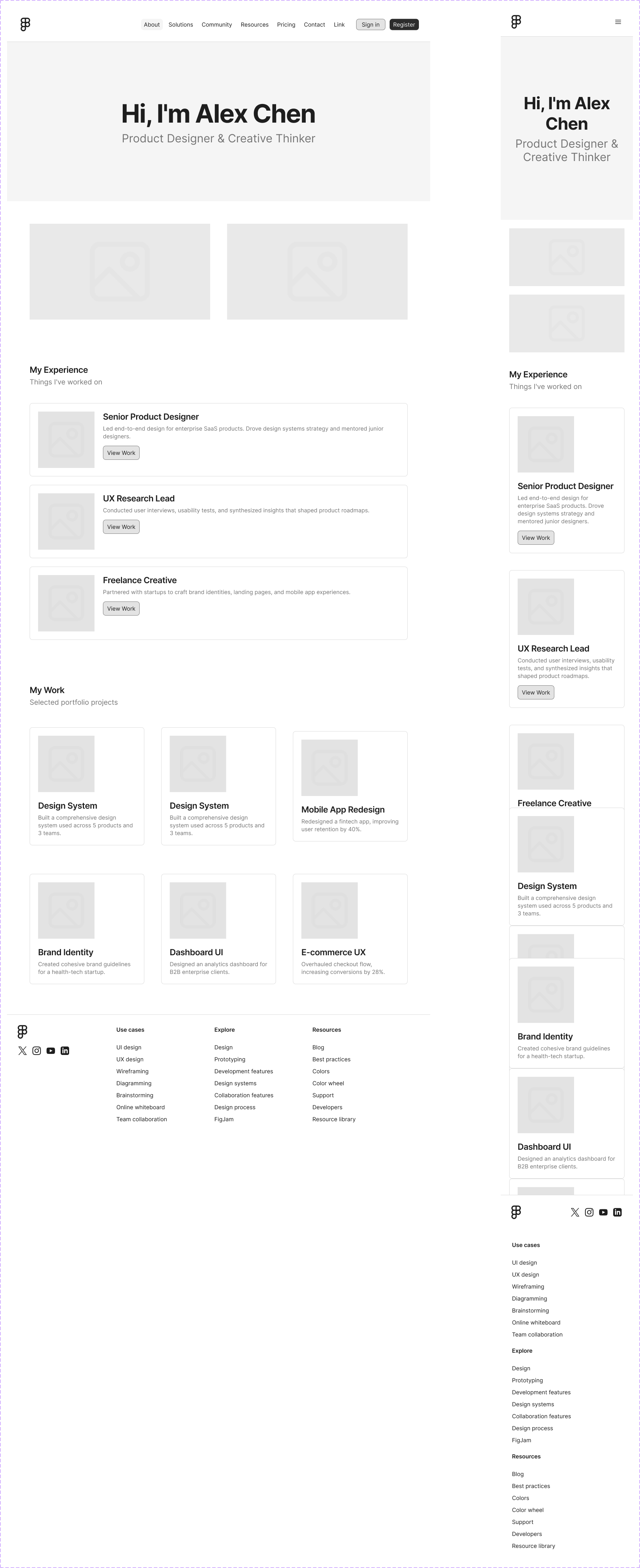
Please find the Figma link and key results below of this image.
I provided the URL of a specific Figma frame and a descriptive prompt for the new page.
The Process: Claude parsed the existing file structure, identified the available components in the SDS, and programmatically generated the new page layers, auto-layouts, and styles.
Please find the Figma link and key results below of this image.
Key Results:
Efficiency: Reduced the manual "layout" phase from hours to seconds.
Accuracy: Used 100% valid design tokens from the SDS foundation, making the design developer-ready immediately.
Figma Link:
https://www.figma.com/design/5MAd0stkYZ8mLgNd450Egd/Simple-Design-System_Kughan?node-id=3073-8157&t=xiv487riUYjZdCqp-4
Efficiency: Reduced the manual "layout" phase from hours to seconds.
Accuracy: Used 100% valid design tokens from the SDS foundation, making the design developer-ready immediately.
Figma Link:
https://www.figma.com/design/5MAd0stkYZ8mLgNd450Egd/Simple-Design-System_Kughan?node-id=3073-8157&t=xiv487riUYjZdCqp-4